


From the Columbus Life software: To link policy data to your InsMark Illustration Systems, follow the steps below.
For further assistance, contact Columbus Life Team: (800) 677-9696.
- Build your Advanced Markets illustration in Life Portraits using the prompts.
- Once the illustration is built, go to the action drop down and select “InsMark”. This drop down will be available under the Policy Details, Riders, Cash Flow, Values, and Report Selection tabs.
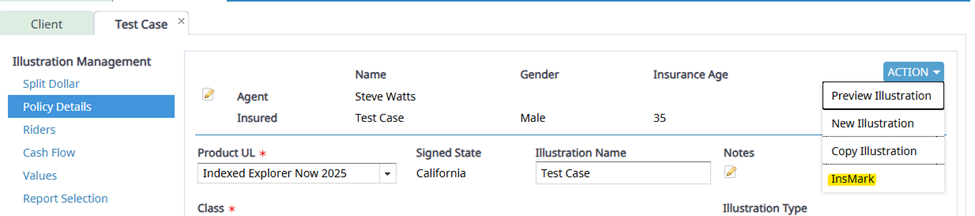
- Once the InsMark button is selected, you will be redirected to the InsMark website. From here, you will be able to select the InsMark system you wish to import the illustration to.


